
Upcoming: Renewal of Android widgets
We’re updating our home screen widgets in mid-November to bring you a smoother, more flexible experience!
What’s Changing?
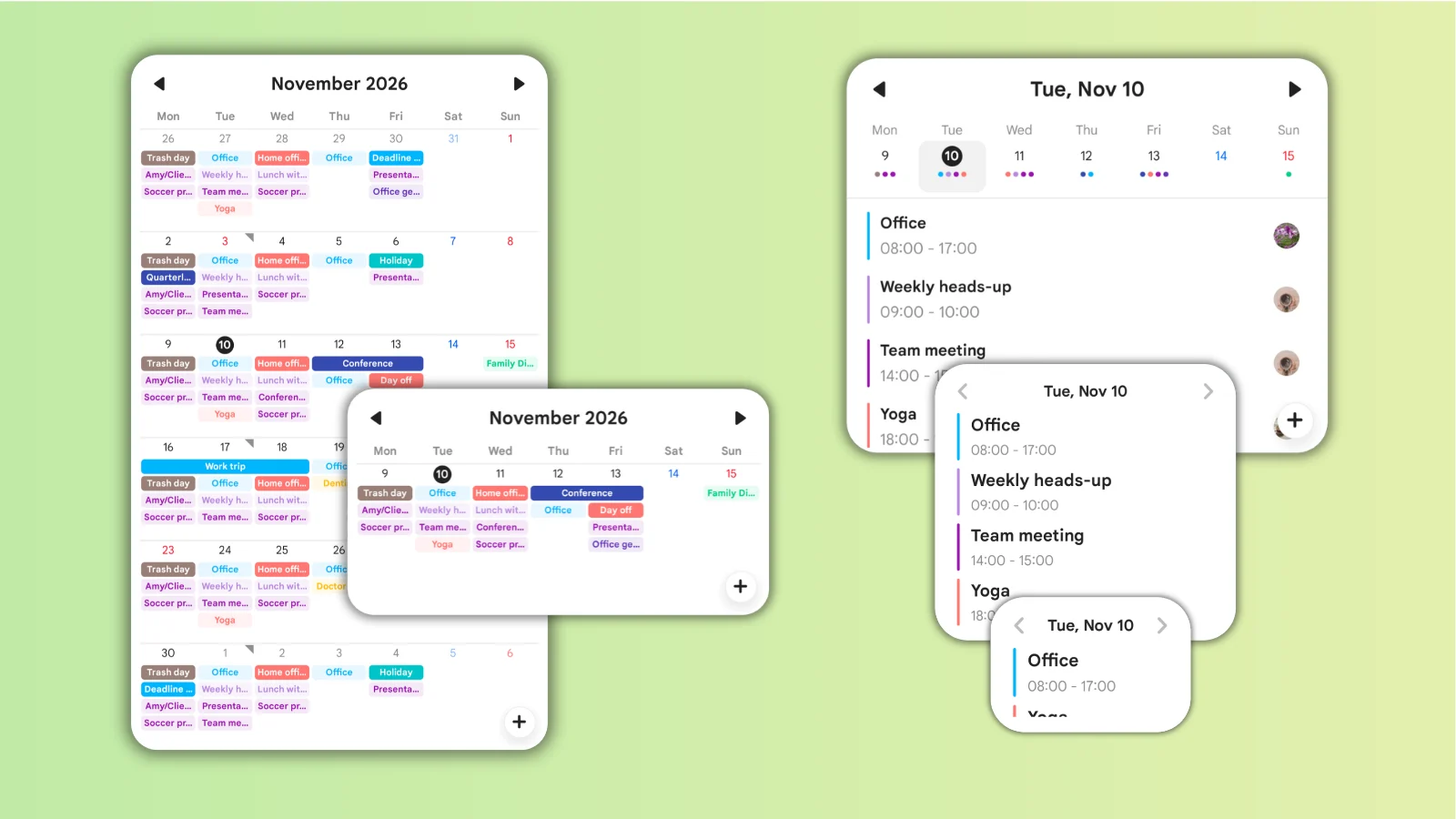
Smart Resizing
Calendar Widget: Automatically switches between monthly and weekly views when resized.
Event List Widget: Automatically adapts its layout to fit any size.
Location for selecting displayed calendars: Long-press the widget and select "Widget Settings" to pick your calendars directly from the widget.
How to access widget settings and the exact option names may vary depending on your device.
Public Calendars cannot be displayed on widgets
Old Widgets Ending: Previous widgets will no longer be available after this update.
Old widgets:
Monthly Calendar 4x4
Monthly Calendar + Selected Day (dark mode) 4x3
Monthly Calendar + Selected Day (light mode) 4x3
Today's Events (Dark mode) 4x2
Today's Events (Light mode) 4x2
When you update from the old widget, your current settings will automatically carry over.
Your existing schedule and event data will not be affected.
How to Switch to the New Widgets
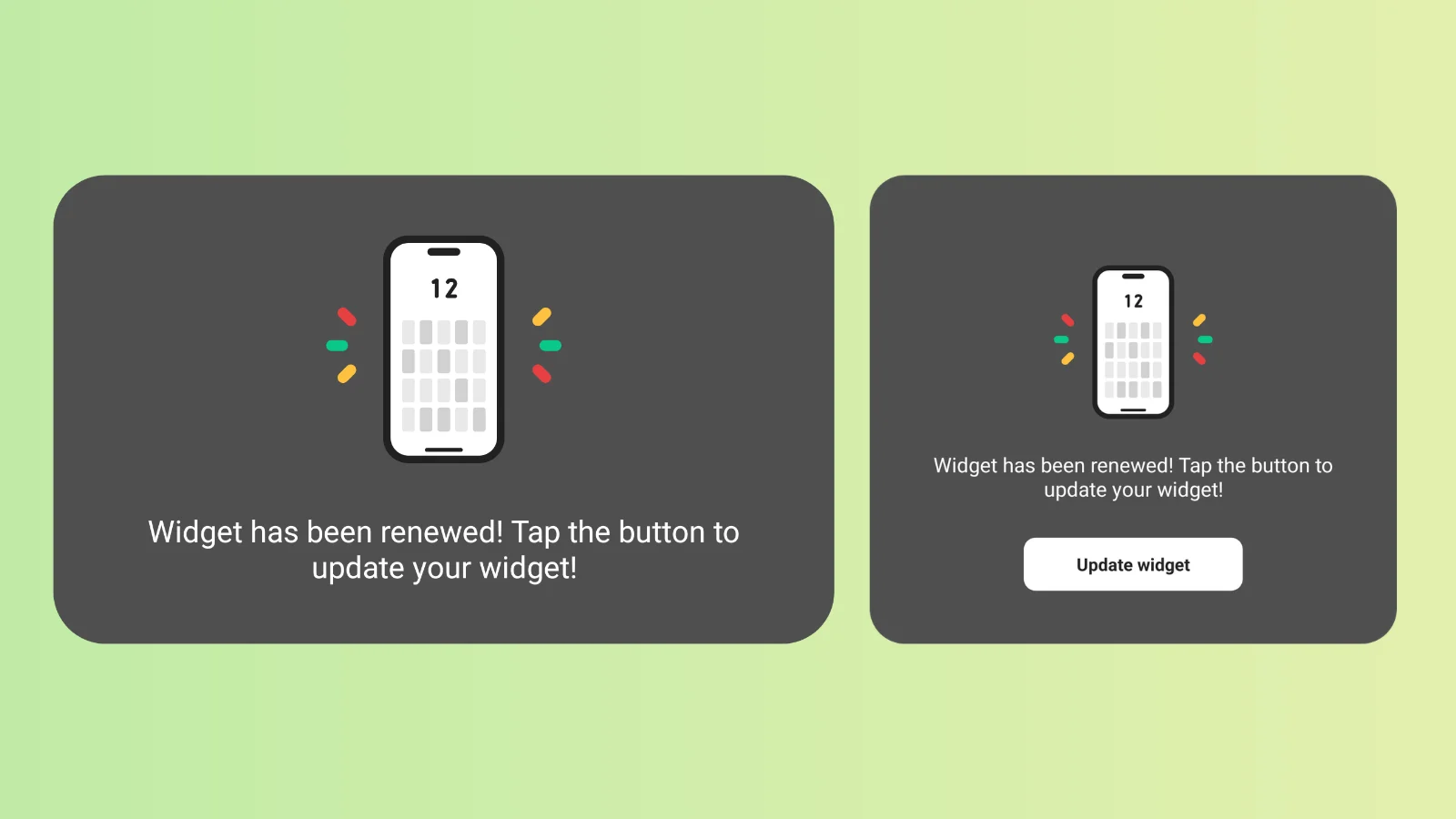
After updating, please follow the prompt shown on your current widget:
Tap "Update widget" on your widget
Configure widget settings
* If the update button isn't visible, please re-add the widget to your home screen.
Please note: The new widgets and the "Update Widget" button will become available once the update is released in mid-November. Please stay tuned for the release!
If you have any questions or run into any trouble, please feel free to reach out to us!